
Party Casino Login and Registration Steps for All Players

To play over 5,000 casino games and claim a welcome bonus of CAD 2,000 + 275 free spins, you need to complete a Party Casino sign up process by creating an account or logging in to the existing one. To create an account, you mas be 19 or older, be registered in Canada and have a valid phone number. The process of creating an account takes a couple of minutes and can be completed on desktop or smartphone.
How to Complete Casino Party Registration
Overall, Canadians need to share their personal information, such as email address, phone number and complete verification, before they can register a new account and deposit funds on the site. Below are all the steps you need to take for the Partycasino sign up.
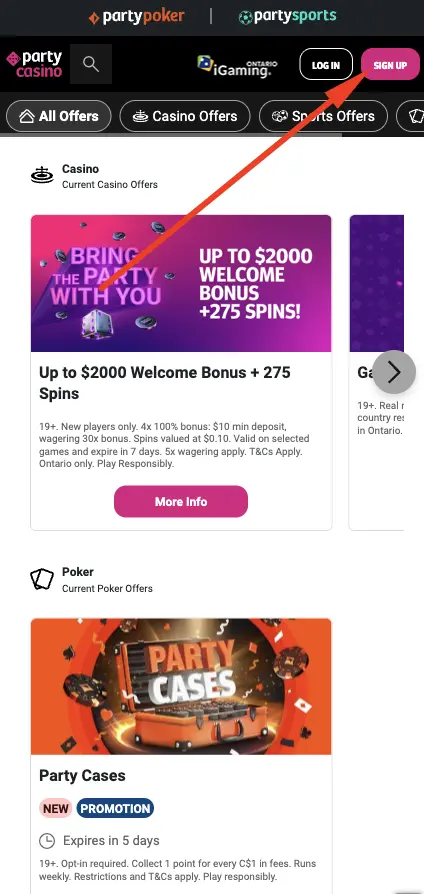
- Click the “Sign Up” button. This button is in theupper part of the page, and it will remain there regardless of which device you use.
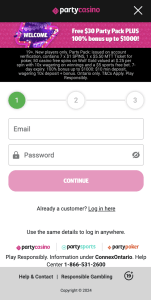
- Share essential details. Choose Canada as your country and CAD as the currency. Local players now have to enter an email address and create a password. Use a web browser password manager to create a strong one.
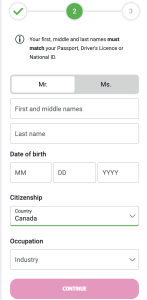
- Provide basic information about yourself. Your date of birth and full name are now needed.
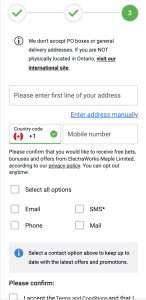
- Add contact information. Share the address by typing in the first few letters of the location and choosing the right one. Add the phone number and you are done.
Requirements Needed for Signing Up
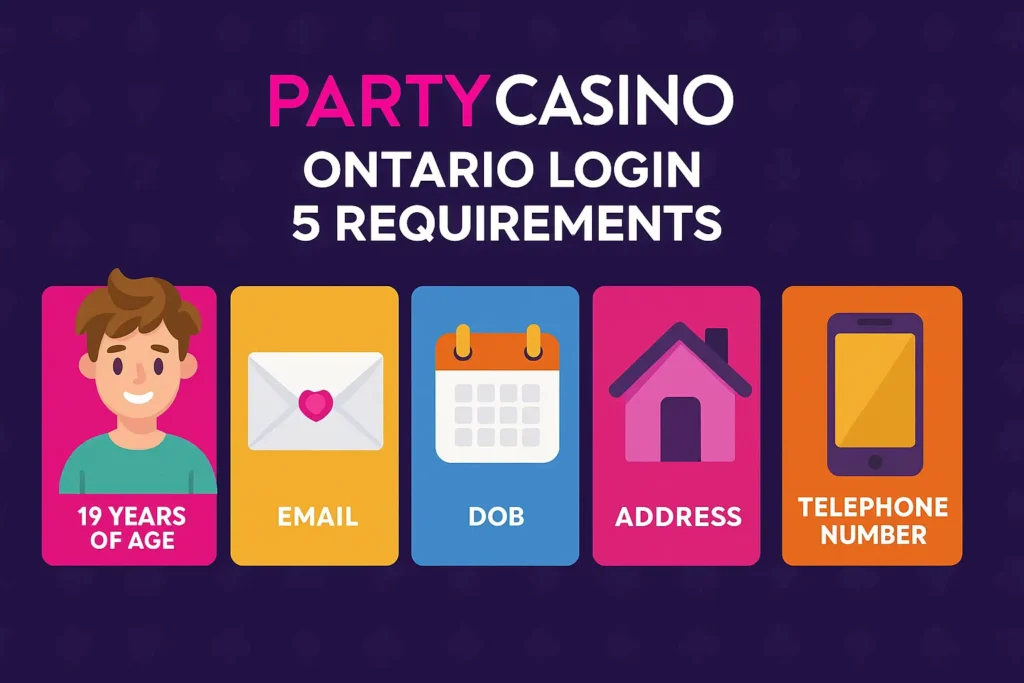
To create an account and complete the Party Casino Ontario login, Canadian users have to be 19 years of age or above, share their email, DOB, address and telephone number. Make sure to enter accurate data because KYC is required by Canadian law.
It is important to add that we use an automatic system for entering the address. Start by typing the address, and you will see available options. Make sure to choose the correct one and double-check the selection. Lastly, to register on the Party Casino Canada, you have to be physically located in the country and must not use a VPN.
Verifying Account at Party Casino
Canadians are required to verify an account by submitting a selfie photo and photos of government-issued ID documents. This must be done immediately after Party Casino registration, allowing you to deposit funds, claim a welcome bonus and play games.
The verification form will automatically appear once you have entered the data. It is easier to use a mobile phone and complete the task, but you can get it done on a PC if you have a webcam. The KYC process will take a few minutes to complete, but in rare cases, it may take up to 24 hours. Additionally, we may require other documents and photos of documents to verify your address and identity.
Partycasino Login Process
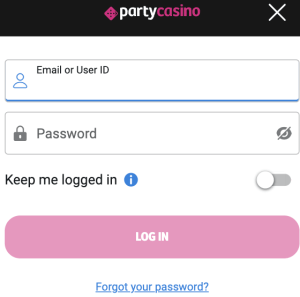
Party Casino Canada login is done by clicking on the “Log in” button and entering an email address or the user ID and a password. You can also activate “Keep me logged in”, which will save the credentials and allow you to access the account automatically the next time you want to play. It is essential to note that this option should be used only if you are the sole user of the device. If you are accessing the platform via a public computer, never use it. The same principle applies when using a smartphone or tablet.
If you have any issues, click on “Forgot your password” and reset it. We recommend that you create a strong password with letters, symbols and numbers and change it regularly. Now, we will explain how to access your profile when using a computer and a smartphone.
Party Casino Mobile Login
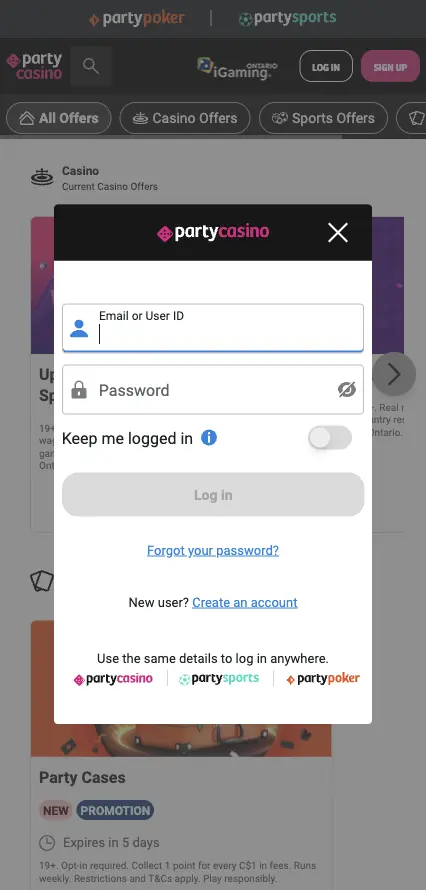
Canadian members can log in to the website using a mobile app or a web browser on their phone and share their user ID or email address, along with a password. As soon as the data is processed on the Party Casino log in page, players can visit their account, explore games and participate in promotions. If you are using a web browser such as Chrome, Opera or Safari, visit the site and follow the same steps.
Your data will be encrypted with SSL encryption and never shared with third parties. Never share your login details with anyone else.
Personal Details for Logging In
To log in to your account, please enter your email address and the password you used during registration. To create an account, we require a full name, address, telephone number, date of birth and for users to complete a verification process.
Party Casino sign in is secured with SSL encryption, and we will never share your data with others. In addition, we will require an email address verification to confirm it, and you can opt in to receive the latest bonuses and promotions in this way. SMS and other methods are also available.
Possible Party Casino Login Problems and Solutions in Canada
If you experience issues with Party Casino registration or logging in, please contact our 24/7 customer support team for assistance. Most of the time, an issue is simple, and the solution is just a few minutes away. Here is a table that lists the most common problems and their corresponding solutions.
| Issue | Solution |
| Forgotten password | Click on “Forgotten password” while Partycasino Ontario login and reset it. |
| Email is already taken | You have an account with the same email address. |
| Wrong email address | You made a mistake while typing your email address. |
| Suspended account | Broken terms and conditions; therefore, the account is suspended. |
Deleting Your Casino Party Account
Players who complete the sign-up procedure and verify their accounts can delete them whenever they like. The process involves you contacting a customer support team and asking them to remove the account. Explain the reason (optional), and your account will be deleted within 24 hours.
Keep in mind that we also utilize responsible gambling tools where you can activate a time-out period, self-exclusion and limits. If you turn on self-exclusion, your account will be unavailable for a specific period of time, but it will remain available once that time frame ends. The same applies to the time-out period.